Beta Program on Play Store

I love programming and I work as a Software Engineer developing web based applications and mobile apps. I'm a full stack developer, from the backend where I primarly use Node.js and MySQL on Linux Servers to the frontend where I use modern web technologies and CSS frameworks. I love to develop mobile app, especially in Android mainly in Java, and in the last year I'm using Flutter, first to experiment and in the last period to develop cross platform enterprise apps. In my spare time I like to experiment on side projects apps, ui designs, web app to improve my skills and test new ideas.
Hi everyone in this article I want to share my opinions about the beta program on Google Play store and why I think it's a nice and effective way to help app developers. I use the App Beta program also at my daily job as a Software Engineer because I can test some new features before going to the "stable" channel. As a user, you can help other developers like you by opt-in for the Beta Programm on the Apps that you use on your Android smartphone and have features that are not available in the public version yet.
How to Join
To join the beta program of a particular app all you have to do is to open the Play Store, find the app you want to check and tap it to go to the app detail page. If the app has a beta program you should see a section like this
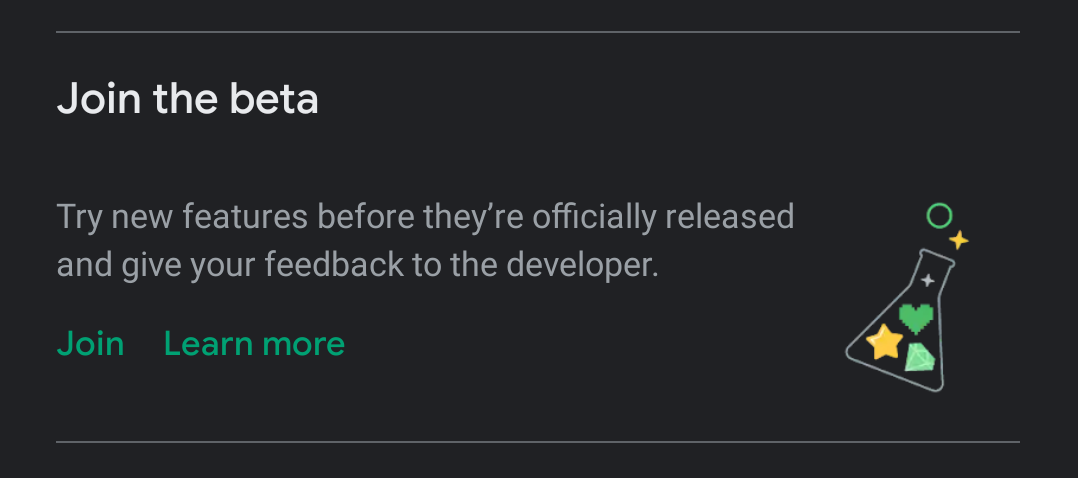
if you tap on the Join button you should see a dialog where you can confirm that you want to join the beta program
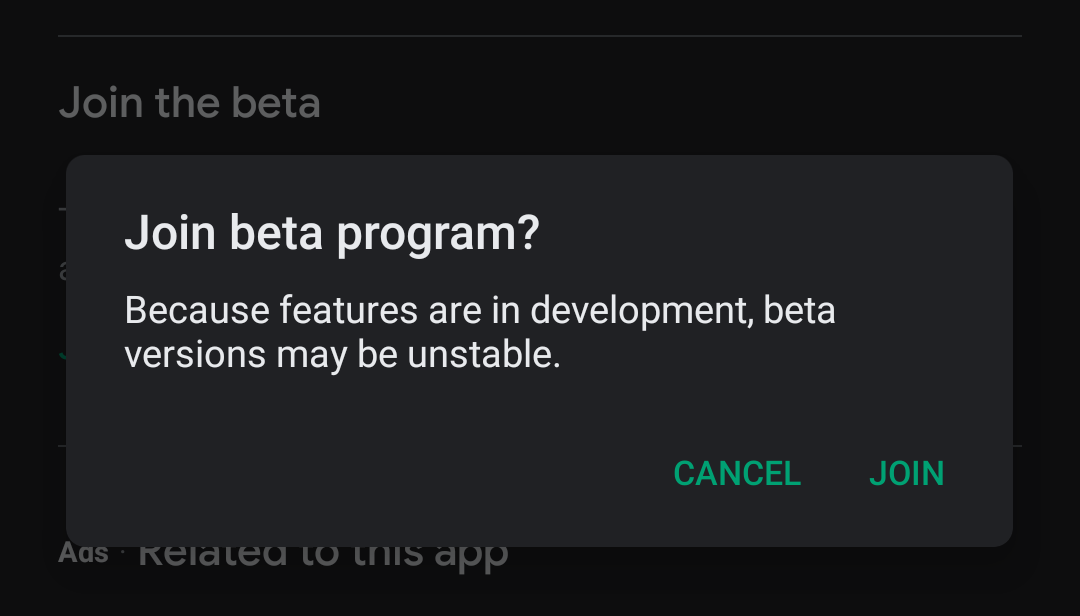
Confirm and after a couple of minutes, you will be promoted to a beta tester so you'll see and test features before they go to the public. In the Beta program, app updates are more frequent and you have to take into account that there could be bugs... but the beta program serves just that and by choosing to enter the program you have accepted these conditions.
Some apps may have put a limit on the number of users who can enter the beta program, so if you see a message like this
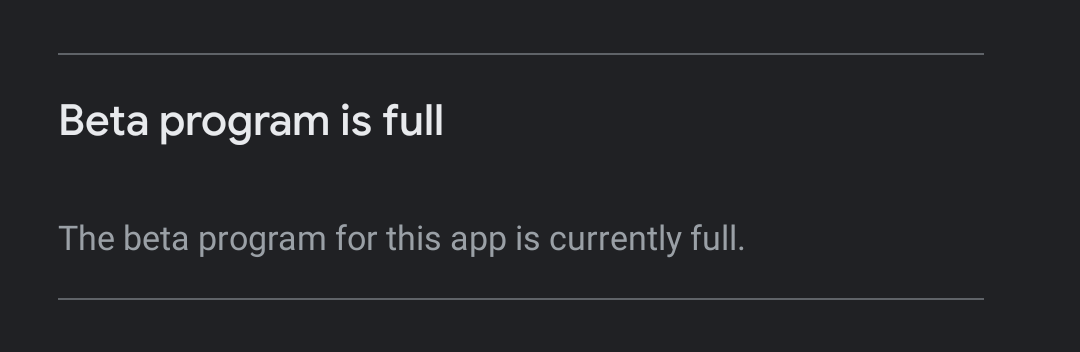
you cannot join the program and you must hope that you can join later if current testers leave or if the developer allows more users to join.
See your beta apps
To see the apps where you are in the Beta program you have to open the Play Store, go to My Apps & games and go in the Beta tab. For example, in my case, I've got 143 apps on my device and me opt-in for the beta program on 55 of them... maybe I'm a bit addicted to the beta program but I'm a developer and I must help my colleagues.
Why It's important
I think that the beta program it's an effective way to help developers to do their work at best because using a beta app before go public could improve app quality, remove bugs that only in production the developer can find. Often in the app there some libraries like Firebase Crashlytics that helps developers to track bugs and give them more devices, more Android versions, and different form factor could give users a more pleasant use of the apps installed on their devices.
If you want to help developers a little more you can also send them private feedback directly from the Play Store in the detail page of the app
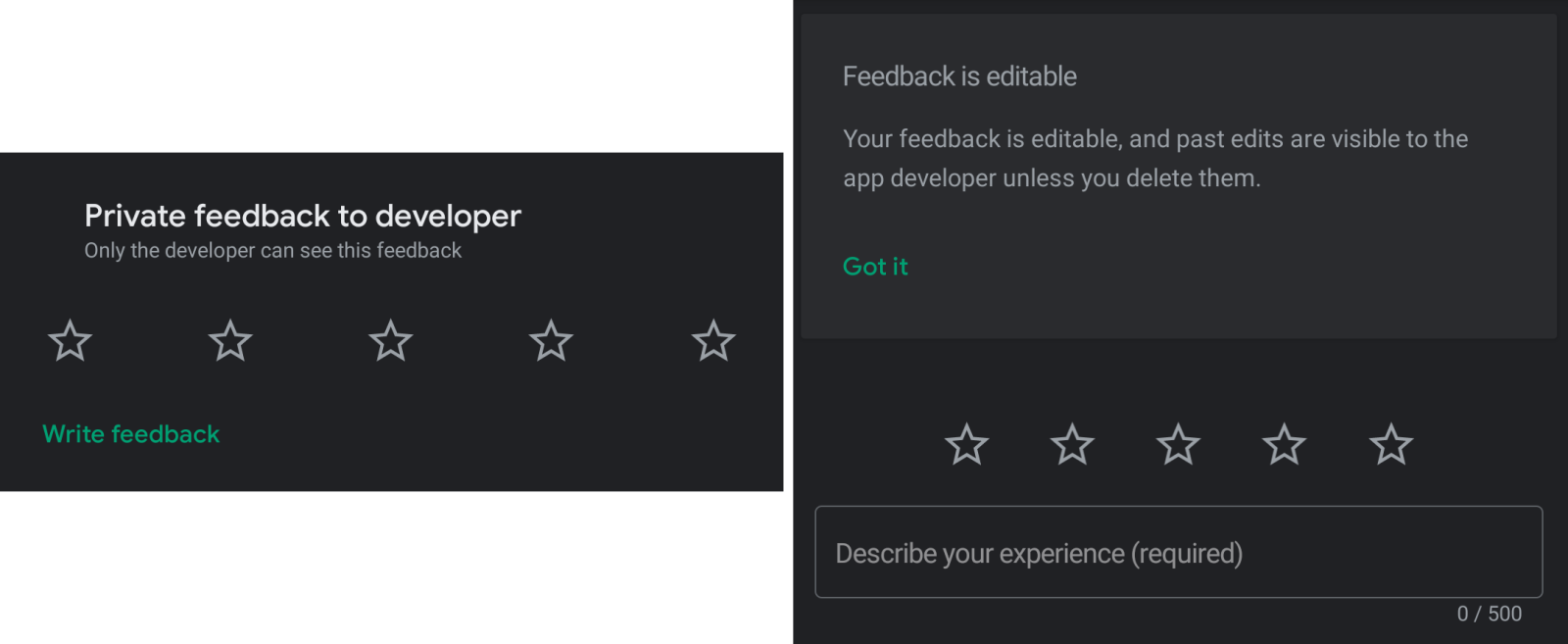
There is no cost for us but the developers get a great profit and being one of them I understand well how much this help is worth.
Code Strong, Alberto
Cover Photo by Fabian Grohs on Unsplash