How to add Hasnode Blog List on GitHub Profile Page

I love programming and I work as a Software Engineer developing web based applications and mobile apps. I'm a full stack developer, from the backend where I primarly use Node.js and MySQL on Linux Servers to the frontend where I use modern web technologies and CSS frameworks. I love to develop mobile app, especially in Android mainly in Java, and in the last year I'm using Flutter, first to experiment and in the last period to develop cross platform enterprise apps. In my spare time I like to experiment on side projects apps, ui designs, web app to improve my skills and test new ideas.
Hi everyone, you all have surely heard that it is possible to customize your profile on GitHub thanks to the creation of a customized repository as explained very well in this article How to Add a README file to your GitHub Profile by Bolaji Ayodeji. In this article, I want to guide you on update your GitHub profile with your last articles on Hashnode thanks a fabulous GitHub Action: blog-post-workflow written by Gautam krishna R. Let's code it!
Update your Readme
On your profile's Readme.md file and add these lines where you want to display the list of your blog posts
## Hashnode Blog Post
<!-- HASHNODE:START -->
<!-- HASHNODE:END -->
Create a GitHub Workflow
In your repo create a folder named .github and create workflows folder inside it if it doesn't exist, create inside it a new file called blog-post-workflow.yml. On that file copy/paste this code:
name: Lastest Hashnode Blog Post
on:
  schedule:
    # Runs every hour
    - cron: '0 * * * *'
  workflow_dispatch:

jobs:
  update-readme-with-blog:
    name: Update this repo's README with latest Hashnode blog posts
    runs-on: ubuntu-latest
    steps:
      - uses: actions/checkout@v2
      - uses: gautamkrishnar/blog-post-workflow@master
        with:
          comment_tag_name: "HASHNODE"
          commit_message: "Updated readme with the latest Hashnode Blog data"
          feed_list: "https://polilluminato.hashnode.dev/rss.xml"
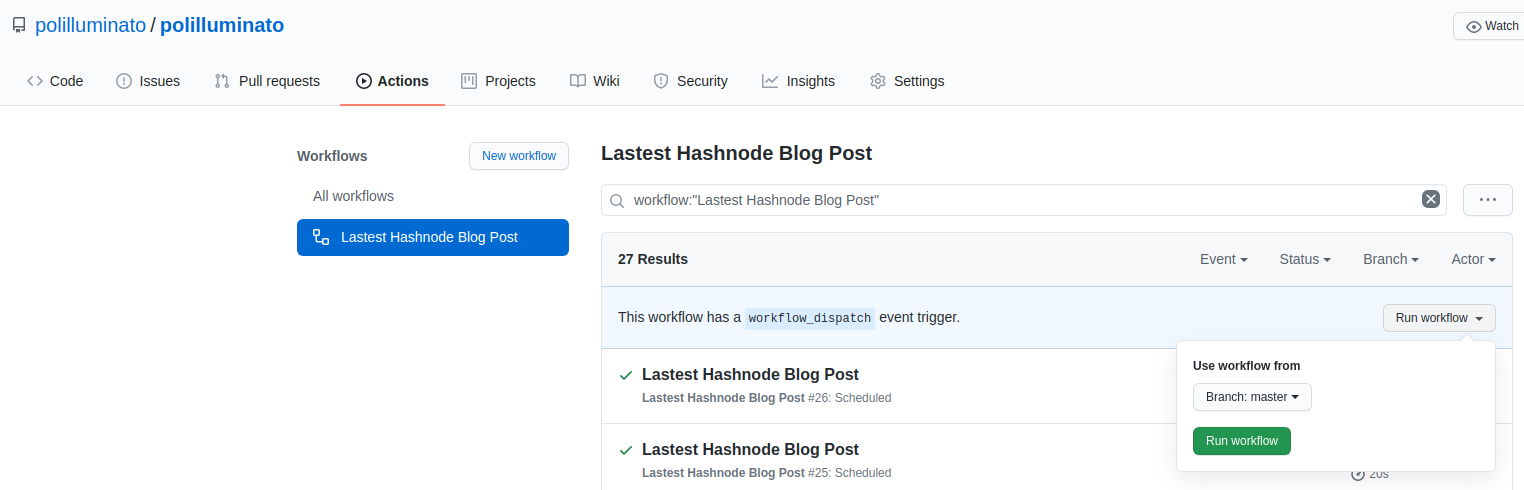
You have to change the last option feed_list with the link of your Hashnode blog RSS feed. You can also change other options as described in the blog-post-workflow repo Readme. Wait till the GitHub action does all the stuff (in my case every hour) or if you don't want to wait you can manually run the GitHub action thanks to the workflow_dispatch option. All you have to do is to go in the Actions tab of your repo, select the Lastest Hashnode Blog Post workflow, the click on Run workflow.
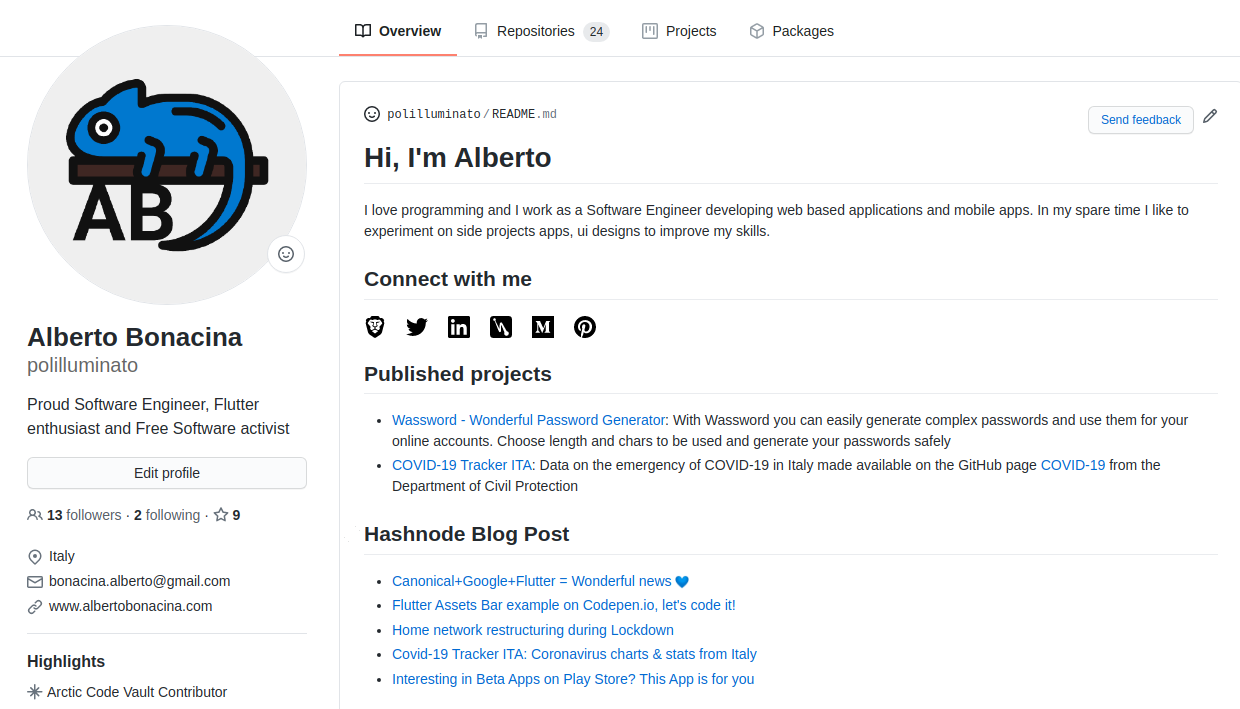
After a few seconds, the workflow should start and when it finishes in your profile Readme you should see a new section with the last 5 articles from your Hashnode blog. This is mine
Simple, isn't it?
Alberto