My first Flutter package: Microsoft Fluent UI Icons

I love programming and I work as a Software Engineer developing web based applications and mobile apps. I'm a full stack developer, from the backend where I primarly use Node.js and MySQL on Linux Servers to the frontend where I use modern web technologies and CSS frameworks. I love to develop mobile app, especially in Android mainly in Java, and in the last year I'm using Flutter, first to experiment and in the last period to develop cross platform enterprise apps. In my spare time I like to experiment on side projects apps, ui designs, web app to improve my skills and test new ideas.
In this article I want to show my first Flutter package that I published on pub.dev. I will tell you why I wanted to make a Flutter package and the steps that led me to publish it.
What's pub.dev?
Pub.dev is the repository for all packages for Dart and Flutter that we can use to develop our Flutter projects for Android, iOS and Web. In this article I told you about the best 10 packages to use to develop your apps. One of the best thing about pub.dev is the possibility for anyone to publish their own packages and allow other developers to use them within their own apps.
Why I create my own package
For one app that I'm developing I was looking for a set of icons and I came across this repo: Fluent System Icons by Microsoft where the icons of their Fluent UI have been made available with the possibility of being used on both Android and iOS apps. There is also a issue opened: Flutter support #34, so I decided to make my own package to support Fluent UI Icons on Flutter.
The steps
I clone the fluentui-system-icons and I move all the icons inside the
assets/*/SVGfolders in my own custom directory using the 24 icons (and some 20 icons for those of which there was no version 24)I renamed all the icons by removing the size from the file name, for example the
ic_fluent_access_time_24_filled.svghas been renamed toic_fluent_access_time_filled.svgThank to this website: FlutterIcon - Flutter custom icons generator and with the help of this two tutorials [1][2] I was able to create a custom class with all Fluent UI Icons
So finally I created my own package to be able to comfortably use all the Fluent System Icons in my own applications in Flutter following this very useful guide: Publishing packages
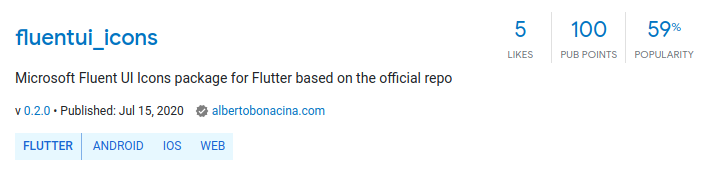
You can download and use my package: fluentui_icons by simply add in your pubspec.yaml
dependencies:
  fluentui_icons: ^0.2.0
I hope this package can be used by many developers like me who are developing cross platform applications with Flutter and want to use Fluent UI Icons by Microsoft in their projects.
Keep coding, Alberto